File Handling
File Handling
Video Explanation
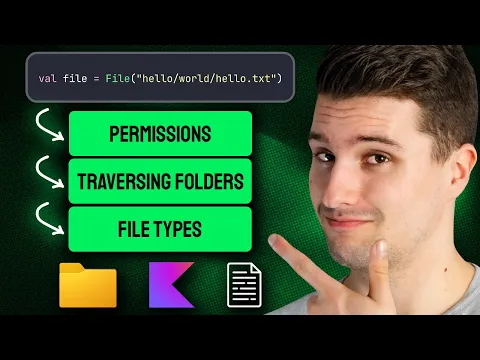
Reading Files
Read Entire File as a String
import java.io.File

fun main() {
    val content = File("example.txt").readText()
    println(content)
}
Read File Line by Line (as List)
import java.io.File

fun main() {
    val lines = File("example.txt").readLines()

    lines.forEachIndexed { index, line ->
        println("${index + 1}: $line")
    }
}
Read File Using forEachLine
Memory-efficient for large files:
import java.io.File

fun main() {
    File("example.txt").forEachLine { line ->
        println(line)
    }
}
Read as Bytes
import java.io.File

fun main() {
    val bytes = File("image.png").readBytes()
    println("File size: ${bytes.size} bytes")
}
Writing Files
Write Text to a File
import java.io.File

fun main() {
    File("output.txt").writeText("Hello, Kotlin!\nFile handling is easy.")
    println("File written successfully.")
}
Append to a File
import java.io.File

fun main() {
    val file = File("log.txt")
    file.appendText("Log entry 1\n")
    file.appendText("Log entry 2\n")
}
Write Lines
import java.io.File

fun main() {
    val lines = listOf("Line 1", "Line 2", "Line 3")
    File("output.txt").writeText(lines.joinToString("\n"))
}
Checking File Existence and Properties
import java.io.File

fun main() {
    val file = File("example.txt")

    println(file.exists())        // true/false
    println(file.isFile())        // true if it's a file
    println(file.isDirectory())   // true if it's a folder
    println(file.length())        // size in bytes
    println(file.name)            // file name
    println(file.absolutePath)    // full path
    println(file.extension)       // "txt"
    println(file.nameWithoutExtension) // "example"
}
Creating and Deleting Files
import java.io.File

fun main() {
    // Create file
    val newFile = File("newfile.txt")
    newFile.createNewFile()

    // Create directory
    val dir = File("myFolder")
    dir.mkdir()
    dir.mkdirs()  // Creates parent dirs too

    // Delete
    newFile.delete()
    dir.deleteRecursively()  // Delete folder and contents
}
Buffered Reading and Writing
For performance with large files:
import java.io.File
import java.io.BufferedReader
import java.io.BufferedWriter

fun main() {
    // Buffered write
    File("data.txt").bufferedWriter().use { writer ->
        writer.write("Hello, Kotlin!\n")
        writer.write("Buffered writing is fast.\n")
    }

    // Buffered read
    File("data.txt").bufferedReader().use { reader ->
        var line = reader.readLine()
        while (line != null) {
            println(line)
            line = reader.readLine()
        }
    }
}
Using use for Resource Management
use automatically closes the resource after use (like try-with-resources):
import java.io.FileReader

fun main() {
    FileReader("example.txt").use { reader ->
        println(reader.readText())
    }
    // File is automatically closed
}
Listing Files in a Directory
import java.io.File

fun main() {
    val dir = File(".")  // Current directory

    // All files and folders
    dir.listFiles()?.forEach { println(it.name) }

    // Only .kt files
    dir.listFiles { f -> f.extension == "kt" }?.forEach {
        println(it.name)
    }

    // Walk all files recursively
    dir.walk().forEach { println(it.path) }
}
Complete Example: CSV Logger
import java.io.File

data class LogEntry(val timestamp: String, val level: String, val message: String)

fun writeLog(entries: List<LogEntry>, filename: String) {
    val file = File(filename)
    file.writeText("Timestamp,Level,Message\n")
    entries.forEach { entry ->
        file.appendText("${entry.timestamp},${entry.level},${entry.message}\n")
    }
}

fun readLog(filename: String): List<LogEntry> {
    return File(filename).readLines()
        .drop(1)  // Skip header
        .map { line ->
            val parts = line.split(",")
            LogEntry(parts[0], parts[1], parts[2])
        }
}

fun main() {
    val logs = listOf(
        LogEntry("2024-01-01 10:00", "INFO", "App started"),
        LogEntry("2024-01-01 10:05", "WARN", "Low memory"),
        LogEntry("2024-01-01 10:10", "ERROR", "Crash detected")
    )

    writeLog(logs, "app.log.csv")

    val loaded = readLog("app.log.csv")
    loaded.forEach { println("[${it.level}] ${it.message}") }
}
Summary
| Operation | Method |
|---|---|
| Read all text | File.readText() |
| Read lines | File.readLines() |
| Read line by line | File.forEachLine { } |
| Write text | File.writeText(content) |
| Append text | File.appendText(content) |
| Check existence | File.exists() |
| Create file | File.createNewFile() |
| Create directory | File.mkdir() |
| Delete | File.delete() |
| Auto-close resource | .use { } |
Track Your Progress
Done with this topic? Mark it as complete to track your progress.
Was this page helpful?
💬
Discuss this page
Have a question or spot something confusing in "File Handling"? Ask below. Backed by GitHub Discussions—maintainers receive system notifications directly.