Operators in C#
Operators in C# allow you to perform various operations on variables and values, such as arithmetic, comparison, logical, and more. This guide introduces the different types of operators available in C# and provides examples to help you understand how to use them.
Video Explanation
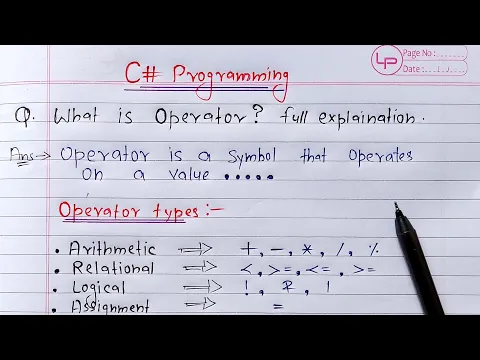
1. Types of Operators in C#
C# supports various operators, which can be broadly categorized as follows:
- Arithmetic Operators
- Comparison Operators
- Logical Operators
- Assignment Operators
- Unary Operators
- Ternary Operator
2. Arithmetic Operators
Arithmetic operators are used to perform basic mathematical operations.
| Operator | Description | Example |
|---|---|---|
+ | Addition | x + y |
- | Subtraction | x - y |
* | Multiplication | x * y |
/ | Division | x / y |
% | Modulus (Remainder) | x % y |
Example:
int a = 10, b = 5;
Console.WriteLine(a + b); // Output: 15
Console.WriteLine(a - b); // Output: 5
Console.WriteLine(a * b); // Output: 50
Console.WriteLine(a / b); // Output: 2
Console.WriteLine(a % b); // Output: 0
3. Comparison Operators
Comparison operators are used to compare two values.
| Operator | Description | Example |
|---|---|---|
== | Equal to | x == y |
!= | Not equal to | x != y |
> | Greater than | x > y |
< | Less than | x < y |
>= | Greater than or equal | x >= y |
<= | Less than or equal | x <= y |
Example:
int x = 10, y = 20;
Console.WriteLine(x == y); // Output: False
Console.WriteLine(x != y); // Output: True
Console.WriteLine(x > y);  // Output: False
Console.WriteLine(x < y);  // Output: True
4. Logical Operators
Logical operators are used to combine multiple conditions.
| Operator | Description | Example |
|---|---|---|
&& | Logical AND | x && y |
| ` | ` | |
! | Logical NOT | !x |
Example:
bool isAdult = true, hasID = false;
Console.WriteLine(isAdult && hasID); // Output: False
Console.WriteLine(isAdult || hasID); // Output: True
Console.WriteLine(!isAdult);         // Output: False
5. Assignment Operators
Assignment operators are used to assign values to variables.
| Operator | Description | Example |
|---|---|---|
= | Assign | x = 5 |
+= | Add and assign | x += 5 |
-= | Subtract and assign | x -= 5 |
*= | Multiply and assign | x *= 5 |
/= | Divide and assign | x /= 5 |
%= | Modulus and assign | x %= 5 |
Example:
int num = 10;
num += 5; // num = 15
num -= 3; // num = 12
num *= 2; // num = 24
num /= 4; // num = 6
num %= 4; // num = 2
6. Unary Operators
Unary operators work with a single operand.
| Operator | Description | Example |
|---|---|---|
+ | Unary plus | +x |
- | Unary minus | -x |
++ | Increment | x++ or ++x |
-- | Decrement | x-- or --x |
! | Logical NOT | !x |
Example:
int value = 5;
Console.WriteLine(value++); // Output: 5, value becomes 6
Console.WriteLine(++value); // Output: 7
Console.WriteLine(-value);  // Output: -7
7. Ternary Operator
The ternary operator (? :) is a shorthand for an if-else condition.
Syntax:
condition ? trueValue : falseValue;
Example:
int age = 18;
string result = (age >= 18) ? "Adult" : "Minor";
Console.WriteLine(result); // Output: Adult
8. Conclusion
Operators are fundamental to performing operations in C#. By using arithmetic, comparison, logical, and other operators effectively, you can manipulate and evaluate data in your programs with ease.
Done with this topic? Mark it as complete to track your progress.
Was this page helpful?
Discuss this page
Have a question or spot something confusing in "Operators in C#"? Ask below. Backed by GitHub Discussions—maintainers receive system notifications directly.