Exception Handling in Java
Exception Handling in Java
Hey there! In this guide, we'll explore exception handling in Java. Exception handling helps manage runtime errors and prevents abrupt termination of programs, making applications more reliable and easier to debug.
Video Explanation
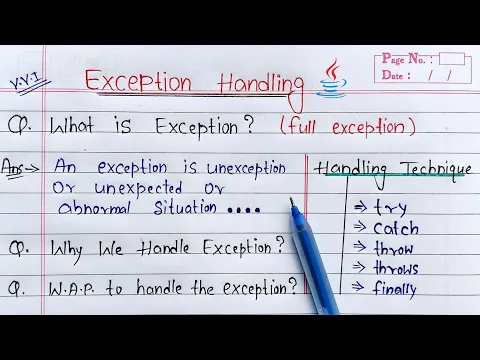
1. What is Exception Handling?
Exception handling is a mechanism used to handle runtime errors so that the normal execution of the program can continue.
Java uses the following keywords:
trycatchthrowthrowsfinally
2. The try Block
The try block contains code that may generate an exception.
Syntax:
try {
    // risky code
}
Example:
try {
    int x = 10 / 0;
}
3. The catch Block
The catch block handles exceptions generated inside the try block.
Syntax:
catch(ExceptionType e) {
    // handling code
}
Example:
catch(ArithmeticException e) {
    System.out.println(e);
}
4. Complete Example of Exception Handling
Example:
public class Main {
    public static void main(String[] args) {
        try {
            int result = 10 / 0;
            System.out.println(result);
        }
        catch(ArithmeticException e) {
            System.out.println("Division by zero is not allowed");
        }
    }
}
Output:
Division by zero is not allowed
5. Multiple Catch Blocks
Java allows multiple catch blocks to handle different exception types.
Example:
public class Main {
    public static void main(String[] args) {
        try {
            String str = null;
            System.out.println(str.length());
        }
        catch(ArithmeticException e) {
            System.out.println("Arithmetic Exception");
        }
        catch(NullPointerException e) {
            System.out.println("Null Pointer Exception");
        }
    }
}
Output:
Null Pointer Exception
6. Multi Catch Handler
Java supports handling multiple exceptions using a single catch block.
Syntax:
catch(Exception1 | Exception2 e)
Example:
public class Main {
    public static void main(String[] args) {
        try {
            int arr[] = {1,2,3};
            System.out.println(arr[5]);
        }
        catch(ArrayIndexOutOfBoundsException | ArithmeticException e) {
            System.out.println("Exception Handled");
        }
    }
}
Output:
Exception Handled
7. The throw Keyword
The throw keyword is used to explicitly generate exceptions.
Example:
public class Main {
    public static void main(String[] args) {
        int age = 15;

        if(age < 18) {
            throw new IllegalArgumentException("Not eligible");
        }
    }
}
8. The throws Keyword
The throws keyword declares exceptions that may occur in a method.
Example:
import java.io.*;

public class Main {
    static void readFile() throws IOException {
        try(FileReader file = new FileReader("abc.txt")){
            //Logic to read from the file
        }
    }

    public static void main(String[] args) {
        System.out.println("Program Running");
    }
}
9. The finally Block
The finally block executes regardless of whether an exception occurs.
Example:
public class Main {
    public static void main(String[] args) {
        try {
            int x = 10 / 0;
        }
        catch(Exception e) {
            System.out.println("Exception Occurred");
        }
        finally {
            System.out.println("Finally Block Executed");
        }
    }
}
Output:
Exception Occurred
Finally Block Executed
10. User Defined Exception
Java allows programmers to create custom exceptions.
Example:
class MyException extends Exception {
    MyException(String message) {
        super(message);
    }
}

public class Main {
    public static void main(String[] args) {
        try {
            throw new MyException("Custom Exception");
        }
        catch(MyException e) {
            System.out.println(e.getMessage());
        }
    }
}
Output:
Custom Exception
11. Advantages of Exception Handling
Exception handling provides several benefits:
- Prevents abrupt program termination
- Improves readability
- Separates error handling logic
- Helps debugging
- Improves program reliability
12. Limitations of Exception Handling
Although useful, exception handling also has some limitations:
- Excessive usage may reduce readability
- Improper handling may hide errors
- Slight performance overhead may occur
13. Final Thoughts
Exception handling is an important concept in Java that helps create robust and reliable applications.
By using try, catch, throw, throws, and finally, developers can efficiently handle errors and improve program stability.
Done with this topic? Mark it as complete to track your progress.
Was this page helpful?
Discuss this page
Have a question or spot something confusing in "Exception Handling in Java"? Ask below. Backed by GitHub Discussions—maintainers receive system notifications directly.