Multithread in Java
What is a Thread?
A thread is the smallest unit of a process that can be scheduled for execution. It is a lightweight process that shares the same memory and resources of its parent process, allowing multiple tasks to be performed simultaneously. Java provides built-in support for multithreaded programming, which allows applications to perform multiple tasks at the same time, improving performance and responsiveness.
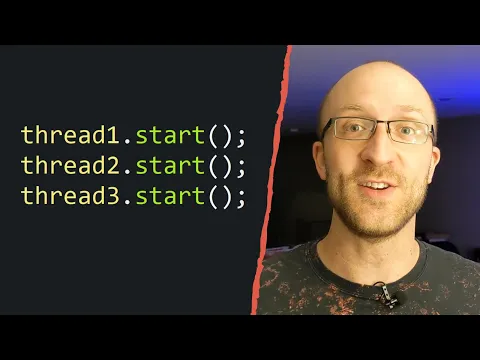
Video Explanation
Key Concepts
- Process: An independent program in execution, with its own memory space.
- Thread: A subset of a process that shares the process’s memory and resources.
- Multithreading: The ability to execute multiple threads simultaneously.
Why Use Multithreading?
Multithreading enables efficient utilization of the CPU and improves the performance of applications by:
- Running tasks concurrently.
- Reducing idle time by utilizing CPU cycles better.
- Enhancing responsiveness in applications, especially in UI-based applications.
Creating a Thread in Java
Java provides two primary ways to create a thread:
- Extending the Thread class
- Implementing the Runnable interface
1. Extending the Thread Class
To create a thread by extending the Thread class, a class must inherit from Thread and override its run() method.
class MyThread extends Thread {
    public void run() {
        System.out.println("Thread is running...");
    }

    public static void main(String[] args) {
        MyThread thread = new MyThread();
        thread.start(); // Start the thread
    }
}
2. Implementing the Runnable Interface
Another way to create a thread is by implementing the Runnable interface, which has a single run() method.
class MyRunnable implements Runnable {
    @Override
    public void run() {
        System.out.println("Thread is running");
    }
}

public class Main {
    public static void main(String[] args) {
        Thread thread = new Thread(new MyRunnable());
        thread.start(); // Starts the thread and calls the run() method
    }
}
Note: Implementing Runnable is preferred over extending Thread when a class already extends another class, as Java does not support multiple inheritance.
Thread Life Cycle
A thread in Java goes through the following states:
- New:
- When a thread is created, but not yet started.
- Runnable:
- When the thread is ready to run, but not yet selected by the scheduler.
- Blocked:
- When the thread is waiting to acquire a lock.
- Waiting:
- When a thread is waiting indefinitely for another thread to perform a particular action.
- Timed Waiting:
- When a thread is waiting for another thread to perform an action within a specific time frame.
- Terminated:
- When a thread has completed its task and terminates.
Thread Methods
Java provides several methods for controlling and managing threads:
- start():
- Starts a thread and calls the
run()method.
- Starts a thread and calls the
- run():
- Contains the code to be executed by the thread.
- sleep(long millis):
- Causes the current thread to sleep for the specified number of milliseconds.
- join():
- Waits for a thread to die.
- interrupt():
- Interrupts a sleeping or waiting thread.
- isAlive():
- Checks if a thread is alive.
class MyRunnable implements Runnable {
    @Override
    public void run() {
        try {
            Thread.sleep(1000); // Sleep for 1 second
            System.out.println("Thread running after 1-second sleep");
        } catch (InterruptedException e) {
            System.out.println("Thread interrupted");
        }
    }
}

public class Main {
    public static void main(String[] args) throws InterruptedException {
        Thread thread = new Thread(new MyRunnable());
        thread.start();
        thread.join(); // Main thread waits for thread to finish
        System.out.println("Main thread execution complete");
    }
}
Thread Synchronization
In multithreading, if multiple threads access a shared resource simultaneously, it can lead to data inconsistency. Synchronization is the solution for this issue. It allows only one thread at a time to access a shared resource.
Java provides various ways to achieve synchronization:
- Synchronized Methods
- Synchronized Blocks
- Static Synchronization
class Counter {
    private int count = 0;

    public synchronized void increment() {
        count++;
    }

    public int getCount() {
        return count;
    }
}

public class Main {
    public static void main(String[] args) {
        Counter counter = new Counter();

        Thread t1 = new Thread(() -> {
            for (int i = 0; i < 1000; i++) counter.increment();
        });

        Thread t2 = new Thread(() -> {
            for (int i = 0; i < 1000; i++) counter.increment();
        });

        t1.start();
        t2.start();

        try {
            t1.join();
            t2.join();
        } catch (InterruptedException e) {
            e.printStackTrace();
        }

        System.out.println("Final count: " + counter.getCount()); // Should print 2000
    }
}
Inter-Thread Communication
Java provides methods like wait(), notify(), and notifyAll() to facilitate communication between threads.
- wait(): Tells the current thread to wait until another thread calls notify().
- notify(): Wakes up a single thread that is waiting on the object's monitor.
- notifyAll(): Wakes up all threads that are waiting on the object's monitor.
class SharedResource {
    private boolean flag = false;

    public synchronized void produce() throws InterruptedException {
        while (flag) {
            wait();
        }
        System.out.println("Produced an item");
        flag = true;
        notify();
    }

    public synchronized void consume() throws InterruptedException {
        while (!flag) {
            wait();
        }
        System.out.println("Consumed an item");
        flag = false;
        notify();
    }
}

public class Main {
    public static void main(String[] args) {
        SharedResource resource = new SharedResource();

        Thread producer = new Thread(() -> {
            try {
                for (int i = 0; i < 5; i++) {
                    resource.produce();
                }
            } catch (InterruptedException e) {
                e.printStackTrace();
            }
        });

        Thread consumer = new Thread(() -> {
            try {
                for (int i = 0; i < 5; i++) {
                    resource.consume();
                }
            } catch (InterruptedException e) {
                e.printStackTrace();
            }
        });

        producer.start();
        consumer.start();
    }
}
Summary
Multithreading is a powerful feature in Java that allows concurrent execution of tasks, making programs more efficient and responsive. Java provides a rich set of APIs to create and manage threads, handle synchronization, and facilitate inter-thread communication. Properly understanding and utilizing threads can greatly improve the performance and responsiveness of Java applications.
Done with this topic? Mark it as complete to track your progress.
Was this page helpful?
Discuss this page
Have a question or spot something confusing in "Multithread in Java"? Ask below. Backed by GitHub Discussions—maintainers receive system notifications directly.