Database Connectivity with MySQL in php
php can connect to MySQL databases to store, retrieve, update, and delete data. The two main approaches are PDO (php Data Objects) and MySQLi.
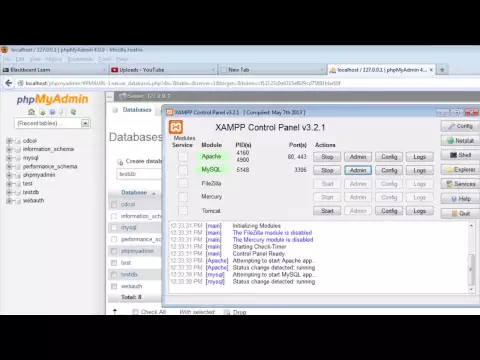
Video Explanation
Connecting with PDO (Recommended)
PDO supports multiple databases and uses prepared statements by default:
<?php
$host   = "localhost";
$dbname = "mydb";
$user   = "root";
$pass   = "secret";

try {
    $pdo = new PDO("mysql:host=$host;dbname=$dbname;charset=utf8", $user, $pass);
    $pdo->setAttribute(PDO::ATTR_ERRMODE, PDO::ERRMODE_EXCEPTION);
    echo "Connected successfully!";
} catch (PDOException $e) {
    die("Connection failed: " . $e->getMessage());
}
?>
Connecting with MySQLi
<?php
$conn = new mysqli("localhost", "root", "secret", "mydb");

if ($conn->connect_error) {
    die("Connection failed: " . $conn->connect_error);
}

echo "Connected!";
?>
Creating a Table
<?php
$sql = "CREATE TABLE IF NOT EXISTS users (
    id       INT AUTO_INCREMENT PRIMARY KEY,
    name     VARCHAR(100) NOT NULL,
    email    VARCHAR(150) UNIQUE NOT NULL,
    created  TIMESTAMP DEFAULT CURRENT_TIMESTAMP
)";

$pdo->exec($sql);
echo "Table created.";
?>
INSERT — Create Records
With PDO Prepared Statement
<?php
$stmt = $pdo->prepare("INSERT INTO users (name, email) VALUES (:name, :email)");
$stmt->execute([
    ':name'  => 'Alice',
    ':email' => 'alice@example.com'
]);

echo "Record inserted. ID: " . $pdo->lastInsertId();
?>
With MySQLi Prepared Statement
<?php
$stmt = $conn->prepare("INSERT INTO users (name, email) VALUES (?, ?)");
$stmt->bind_param("ss", $name, $email);

$name  = "Bob";
$email = "bob@example.com";
$stmt->execute();

echo "Inserted ID: " . $conn->insert_id;
$stmt->close();
?>
SELECT — Read Records
<?php
// Fetch all rows
$stmt = $pdo->query("SELECT * FROM users");
$users = $stmt->fetchAll(PDO::FETCH_ASSOC);

foreach ($users as $user) {
    echo htmlspecialchars($user['id']) . " - " . htmlspecialchars($user['name']) . " - " . htmlspecialchars($user['email']) . "<br>";
}
?>
Fetch a Single Row
<?php
$stmt = $pdo->prepare("SELECT * FROM users WHERE id = :id");
$stmt->execute([':id' => 1]);
$user = $stmt->fetch(PDO::FETCH_ASSOC);

if ($user) {
    echo htmlspecialchars($user['name']); // Alice
} else {
    echo "User not found.";
}
?>
UPDATE — Modify Records
<?php
$stmt = $pdo->prepare("UPDATE users SET name = :name WHERE id = :id");
$stmt->execute([':name' => 'Alice Smith', ':id' => 1]);

echo "Rows updated: " . $stmt->rowCount();
?>
DELETE — Remove Records
<?php
$stmt = $pdo->prepare("DELETE FROM users WHERE id = :id");
$stmt->execute([':id' => 2]);

echo "Rows deleted: " . $stmt->rowCount();
?>
Fetching Modes
<?php
$stmt = $pdo->query("SELECT * FROM users");

// As associative array
$rows = $stmt->fetchAll(PDO::FETCH_ASSOC);

// As object
$rows = $stmt->fetchAll(PDO::FETCH_OBJ);
foreach ($rows as $row) {
    echo $row->name;
}

// As a specific class
$rows = $stmt->fetchAll(PDO::FETCH_CLASS, 'User');
?>
Transaction Support
<?php
try {
    $pdo->beginTransaction();

    $pdo->exec("UPDATE accounts SET balance = balance - 500 WHERE id = 1");
    $pdo->exec("UPDATE accounts SET balance = balance + 500 WHERE id = 2");

    $pdo->commit();
    echo "Transfer successful.";
} catch (Exception $e) {
    $pdo->rollBack();
    echo "Transfer failed: " . $e->getMessage();
}
?>
PDO vs MySQLi Comparison
| Feature | PDO | MySQLi |
|---|---|---|
| Database support | 12+ databases | MySQL only |
| Named parameters | Yes | No |
| Prepared statements | Yes | Yes |
| OOP interface | Yes | Yes |
| Recommended | Yes | For MySQL-specific use |
Security: Always use prepared statements with bound parameters to prevent SQL injection. Never build queries by concatenating user input directly.
Track Your Progress
Done with this topic? Mark it as complete to track your progress.
Was this page helpful?
💬
Discuss this page
Have a question or spot something confusing in "Database Connectivity with MySQL in php"? Ask below. Backed by GitHub Discussions—maintainers receive system notifications directly.