Pointers In C
Hey there! In this article, we will discuss C pointers in detail, their types, uses, advantages, and disadvantages with examples.
- In C, the pointers are used to store the address of another variable and can also be used to access and manipulate the variable's data stored at that location.
- Pointers can also store the addresses of functions, array elements and even the addresses of another pointer
- With pointers, we can access and modify the data located in the memory, pass the data efficiently between the functions, and create dynamic data structures like linked lists, trees, and graphs.
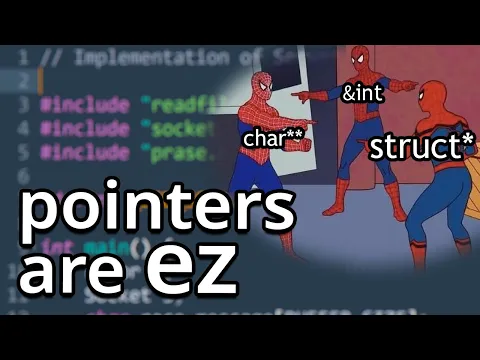
Video Explanation
1. Pointer Declaration :
To declare a pointer, use the dereferencing operator (*) followed by the data type.
Syntax :
The syntax below is used to define a pointer to a variable of a certain data type
data_type *ptr;
- ptr is the name of the pointer
- data_type is the name of the data type its pointing to
Example :
int *ptr;
The pointer declared here will point to some random memory address as it is not initialized.
2. Pointer Initialization :
Pointer initialization is the process where we assign some initial value to the pointer variable. We generally use the ( &: ampersand ) address of operator to get the memory address of a variable and then store it in the pointer variable.
Example :
int num = 24;
int *ptr; //declaration of an integer pointer
ptr = #
We can also declare a pointer in a single line,like below :
int *ptr = # //pointer definition
In Pointer Definition a pointer can be declared & initialized at the same time.
3. Pointer Dereferencing :
Dereferencing a pointer is the process of accessing the value stored in the memory address specified in the pointer. We use the same ( * ) dereferencing operator that we used in the pointer declaration.
int num =20;
int *ptr = #
printf("%d\n",*ptr); //OUTPUT : 20
printf("%x\n",ptr); //OUTPUT : 81b694b4 | Address of the 'num' variable (Address of a variable can be accessed via '&' operator)

*ptr = 34; //changing the value of num via dereferencing
printf("%d\n",*ptr); // OUTPUT : 34
C Program to illustrate pointers :
#include <stdio.h>
void main()
{
int num = 10;
// declare pointer variable
int* ptr;
//data type of ptr and num must be same
ptr = # // pointer initialization
printf("Value at ptr = %p \n", ptr); //Address of 'num'
printf("Value at num = %d \n", num);
printf("Value at *ptr = %d \n", *ptr);
*ptr = 24;
printf("Value at num = %d \n", num);
printf("Value at *ptr = %d \n", *ptr);
}
Output :
Value at ptr = 0x7ffd1070ce84
Value at num = 10
Value at *ptr = 10
Value at num = 24
Value at *ptr = 24
4. Size of a Pointer :
The memory (or, size) occupied by a pointer variable does not depend on the type of the variable it is pointing to. The size of a pointer depends on the system architecture.
The size of pointers in C is :
- 8 bytes for a 64-bit System
- 4 bytes for a 32-bit System
In the below example, we are printing the size of different types of pointers (64-bit architechture):
Example :
#include <stdio.h>

void main() {
  int x = 10;
  float y = 1.354;
  char z = 'p';

  // Pointer declaration and initialization
  int *ptr_x = &x;
  float *ptr_y = &y;
  char *ptr_z = &z;

  // Printing the size of pointer variables
  printf("Size of integer pointer : %lu\n", sizeof(ptr_x));
  printf("Size of float pointer : %lu\n", sizeof(ptr_y));
  printf("Size of char pointer : %lu\n", sizeof(ptr_z));

}
Output :
Size of integer pointer : 8
Size of float pointer : 8
Size of char pointer : 8
5. Types of Pointers in C :
Based on the type of variable stored in the memory location pointed by the pointer, the Pointers in C can be classified into the following types :
1. Integer Pointers
As the name suggests, these are the pointers that point to the integer values. They are called pointer to integer
int *ptr;
Similarly, a pointer can point to any primitive data type.
double *dp;    /* pointer to a double */
float  *fp;    /* pointer to a float */
char   *ch     /* pointer to a character */
C pointers can point also point to derived data types such as arrays and user-defined data types such as structures.
2. Array Pointer
Pointers and Array are closely related to each other. Even the array name is the pointer to its first element. They are also known as pointer to arrays.
int arr[]={2,4,6,8,10,12};
int *ptr = arr ; //"arr" points to the very first [0th] element '2' of the integer array "arr"
Similarly, we can also declare a pointer that can point to whole array instead of only one element of the array. This pointer is useful when talking about multidimensional arrays.
#include<stdio.h>

void main()
{
    // Pointer to an integer
    int *p;

    // Pointer to an array of 5 integers
    int (*ptr)[5];
    int arr[5];

    // Points to 0th element of the arr.
    p = arr;

    // Points to the whole array arr.
    ptr = &arr;

    printf("p = %p, ptr = %p\n", p, ptr); //p = 0x7fff6463e890, ptr = 0x7fff6463e890

    p++;
    ptr++;

    printf("p = %p, ptr = %p\n", p, ptr); //p = 0x7fff6463e894, ptr = 0x7fff6463e8a4

}
3. Structure Pointer
The pointer pointing to the structure type is called Structure Pointer or Pointer to Structure. It can be declared in the same way as we declare the other primitive data types.
struct student {
    char name[35];
    int roll;
    int total;
};

struct student Eshita;
strcpy(Eshita.name,"Eshita");
Eshita.roll=1;
Eshita.total=500;

//structure pointer definition
struct student *ptr = &Eshita;

//access structure members using the structure pointer
printf("Roll = %d\n",(*ptr).roll); // OUTPUT :Roll = 1
4. Function Pointer
Function pointers point to the functions. They are different from the rest of the pointers in the sense that instead of pointing to the data, they point to the code
#include <stdio.h>
// A normal function with an int parameter
// and void return type
void fun(int a) { printf("Value of a is %d\n", a); }

void main()
{
    // fun_ptr is a pointer to function fun()
    void (*fun_ptr)(int) = &fun; //function pointer definition

    // Invoking fun() using fun_ptr
    (*fun_ptr)(10);

}
- Unlike normal pointers, a function pointer points to code, not data. Typically a function pointer stores the start of executable code.
- Unlike normal pointers, we do not allocate de-allocate memory using function pointers.
- A function's name can also be used to get function's address. Example
#include <stdio.h>

void fun(int a) { printf("Value of a is %d\n", a); }

void main()
{
    void (*fun_ptr)(int) = fun; //function pointer definition via the name of the function only

    fun_ptr(10); // invoking fun() using fun_ptr() & not the '*' sign

}
5. Double Pointers
In C language, we can define a pointer that stores the memory address of another pointer. Such pointers are called double-pointers or pointers-to-pointer. Instead of pointing to a data value, they point to another pointer.
Syntax:
data_type_of_pointer **name_of_variable = &normal_pointer_variable;
Example:
int val = 5;
int *ptr = &val;    // storing address of val to pointer ptr.
//d_ptr points to ptr which is a pointer itself
int **d_ptr = &ptr; // pointer to a pointer declared & initialized
                    // which is pointing to an integer.
- The double pointer is declared using the syntax shown above.
- After that, we store the address of another pointer as the value of this new double pointer.
- Now, if we want to manipulate or dereference to any of its levels, we have to use Asterisk ( * ) operator the number of times down the level we want to go.
6. Void Pointer
The Void pointers in C are the pointers of type void. It means that they do not have any associated data type. They are also called generic pointers as they can point to any type and can be typecasted to any type.
Syntax
void * pointer_name;
Some uses of Void Pointers:
- malloc() and calloc() return void * type and this allows these functions to be used to allocate memory of any data type (just because of void *).
- void pointers used along with Function pointers of type void (*)(void) point to the functions that take any arguments and return any value.
- void pointers are mainly used in the implementation of data structures such as linked lists, trees, and queues i.e. dynamic data structures.
- void pointers are also commonly used for typecasting.
7. NULL Pointer
The Null Pointers are those pointers that do not point to any memory location. They can be created by assigning a NULL value to the pointer. A pointer of any type can be assigned the NULL value.
data_type *pointer_name = NULL;
- It is always a good practice to assign a NULL value to a pointer variable in case you do not have an exact address to be assigned. This is done at the time of variable declaration. A pointer that is assigned NULL is called a null pointer.
- The NULL pointer is a constant with a value of "0" defined in several standard libraries.
Some uses of NULL Pointers:
- We initialize a pointer variable when that pointer variable hasn't been assigned any valid memory address yet.
- We check for a null pointer before accessing any pointer variable. By doing so, we can perform error handling in pointer-related code, e.g., dereference a pointer variable only if it's not NULL.
- We pass a null pointer to a function argument when we don't want to pass any valid memory address.
- NULL pointers are also used in data structures like trees, linked lists, etc. to indicate the end.
6. Other important pointer types :
1. Dangling Pointer
A pointer pointing to a memory location that has been deleted (or freed) is called a dangling pointer. Such a situation can lead to unexpected behavior in the program and also serve as a source of bugs in C programs. There are different ways where a pointer acts as a dangling pointer.Like,
1. Deallocation of memory
When a memory pointed by a pointer is deallocated the pointer becomes a dangling pointer. Example :
void main()
{
int* ptr = (int*)malloc(sizeof(int));

    // After free call, ptr becomes a dangling pointer
    free(ptr);
    printf("Memory freed\n");

    // removing Dangling Pointer
    ptr = NULL;


}
2. Variable Goes Out of Scope
When a variable goes out of scope the pointer pointing to that variable becomes a dangling pointer.Similarly, if we return the address of a local variable then it becomes a dangling pointer. Example :
int* fun(){
int num = 45; // if the 'num' variable was static it had scope throughout the program
int* ptr = #
return ptr;
}
void main()
{
int* p = fun();

// p points to something which is not
// valid anymore
printf("%d\n", *p);

}
2. Wild Pointer
A pointer that has not been initialized to anything (not even NULL) is known as a wild pointer. The pointer may be initialized to a non-NULL garbage value that may not be a valid address. The below example demonstrates the undefined behavior of the Wild pointer. Example
#include <stdio.h>
void main()
{
    int* p; //wild pointer

    // trying to access the value pointed by a wild pointer
    // is undefined behavior
    // printf("Value pointed by wild pointer: %d\n", *p);
    // //give error

    int x = 10;

    // Accessing the value pointed by 'p'
    printf("Value pointed by 'p' is: %d\n", *p);

}
Output :
Segmentation Fault (SIGSEGV)
timeout: the monitored command dumped core
/bin/bash: line 1:    32 Segmentation fault
7. Pointer Arithmetic
Pointer Arithmetic is the set of valid arithmetic operations that can be performed on pointers. The pointer variables store the memory address of another variable. It doesn’t store any value.
Hence, there are only a few operations that are allowed to be performed on Pointers in C language. The C pointer arithmetic operations are slightly different from the ones that we generally use for mathematical calculations. These operations are:
- Increment and Decrement of a Pointer
- Addition and Subtraction of Integer to Pointer
- Subtraction of Pointers
- Comparison of Pointers
a. Increment and Decrement of a Pointer
The "++" and "--" are used as the increment and decrement operators in C. They are unary operators, used in prefix or postfix manner with numeric variable operands, and they increment or decrease the value of the variable by one.
Assume that an integer variable "a" is created at address 1000 in the memory, with 24 as its value. Then, "a++" makes the value of "a" as 25.
int a = 24;   // created at address 1000

a++;          // a becomes 25
Now, let's see what happens if we declare "p" as a pointer to "a" and increment "p" by 1 (with "p++")? Assume that the address of "p" itself is 2000.
int a = 24;   // created at address 1000

// "p" is created at address 2000
// it holds 1000 (address of "x")
int *p = &a ;

p++;          // p becomes 1004
Since the variable "p" stores 1000 (the address of "a"), we expect it to become 1001 because of the "++" operator, but it increments by 4, which is the size of "int" variable.
The is why because, if the address of "a" is 1000, then it occupies 4 bytes: 1000, 1001, 1002 and 1003. Hence, the next integer can be put only in 1004 and not before it. Hence "p" (the pointer to "a") becomes 1004 when incremented.
Example of Incrementing a Pointer
#include <stdio.h>

void main(){

   int x = 30;
   int *y = &x;

   printf("Value of y before increment: %d\n", y);

   y++;

   printf("Value of y after increment: %d", y);
}
Output:
Value of y before increment: 6422036
Value of y after increment: 6422040
You can see that the value has increased by 4. Similarly, the "--" operator decrements the value by the size of the data type.
Example of Decrementing a Pointer
Now, let us change the types of "x" and "y" to "double" and "float" and see the effect of the decrement operator.
#include <stdio.h>
void main(){

   double x = 10;
   double *y = &x;

   printf("value of y before decrement: %ld\n", y);

   y--;

   printf("value of y after decrement: %ld", y);
}
Output
Value of y before decrement: 6422032
Value of y after decrement: 6422024
Example of Traversing an Array by Incrementing Pointer
When an array is declared, the elements are stored in adjacent memory locations. In case of "int" array, each array subscript is placed apart by 4 bytes.
Hence, if a variable stores the address of 0th element of the array, then the "increment" takes it to the 1st element.
The following example shows how you can traverse an array by incrementing a pointer successively -
#include <stdio.h>

void main(){

   int a[]= {10, 20, 30, 40, 50, 60, 70, 80, 90, 100};
   int len = sizeof(a)/sizeof(int);
   int *x = a;
   int i = 0;

   for(i = 0; i < len; i++){
      printf("Address of subscript %d = %d Value = %d\n", i, x, *x);
      x++;
   }

}
Output
Address of subscript 0 = 6421984 Value = 10
Address of subscript 1 = 6421988 Value = 20
Address of subscript 2 = 6421992 Value = 30
Address of subscript 3 = 6421996 Value = 40
Address of subscript 4 = 6422000 Value = 50
Address of subscript 5 = 6422004 Value = 60
Address of subscript 6 = 6422008 Value = 70
Address of subscript 7 = 6422012 Value = 80
Address of subscript 8 = 6422016 Value = 90
Address of subscript 9 = 6422020 Value = 100
b. Addition and Subtraction of Integer to Pointer
An integer value can be added and subtracted to a pointer. When an integer is added to a pointer, the pointer points to the next memory address. Similarly, when an integer is subtracted from a pointer, the pointer points to the previous memory location.
Addition and subtraction of an integer to a pointer does not add and subtract that value to the pointer, multiplication with the size of the data type is added or subtracted to the pointer.
For example, there is an integer pointer variable ptr and it is pointing to an address 123400, if you add 1 to the ptr (ptr+1), it will point to the address 123404 (size of an integer is 4). Let's evaluate it,
ptr = 123400
ptr = ptr + 1
ptr = ptr + sizeof(int)*1
ptr = 123400 + 4
ptr = 123404
Example of Adding Value to a Pointer
#include <stdio.h>

void main() {
  int int_arr[] = {12, 23, 45, 67, 89};
  int *ptrArr = int_arr;

  printf("Value at ptrArr: %d\n", *ptrArr);

  // Adding 2 in ptrArr
  ptrArr = ptrArr + 2;

  printf("Value at ptrArr after adding 2: %d\n", *ptrArr);

}
Output
Value at ptrArr: 12
Value at ptrArr after adding 2: 45
Example of Subtracting Value to a Pointer
In the following example, we are declaring an array and pointer to an array. Initializing the pointer with the last element of the array and then subtracting an integer value (2) from the pointer to get the third element of the array.
#include <stdio.h>
void main() {
  int int_arr[] = {12, 23, 45, 67, 89};
  int *ptrArr = &int_arr[4]; // points to last element

  printf("Value at ptrArr: %d\n", *ptrArr);

  // Subtracting 2 in ptrArr
  ptrArr = ptrArr - 2;

  printf("Value at ptrArr after adding 2: %d\n", *ptrArr);

}
Output
Value at ptrArr: 89
Value at ptrArr after adding 2: 45
]
c. Subtraction of Pointers
The "+" and "−" operators are used with regular numeric operands. However, when you use these operators with pointers, they behave in a little different way.
Since pointers are fairly large integers (especially in modern 64-bit systems), addition of two pointers is meaningless. When we add a 1 to a pointer, it points to the next location where an integer may be stored. Obviously, when we add a pointer (itself a large integer), the location it points may not be in the memory layout.
However, the subtraction of two pointers is realistic. It returns the number of data types that can fit in the two pointers.
Example of Subtracting Two Pointers
Let us take the array in the previous example and perform the subtraction of pointers of a[0] and a[9]
#include <stdio.h>

void main(){

   int a[]= {10, 20, 30, 40, 50, 60, 70, 80, 90, 100};
   int *x = &a[0]; // zeroth element
   int *y = &a[9]; // last element

   printf("Add of a[0]: %ld add of a[9]: %ld\n", x, y);
   printf("Subtraction of two pointers: %ld", y-x);

}
Output
Add of a[0]: 140729162482768 add of a[9]: 140729162482804
Subtraction of two pointers: 9
It can be seen that the numerical difference between the two integers is 36; it suggests that the subtraction is 9 because it can accommodate 9 integers between the two pointers.
d.Comparison of Pointers
Pointers can be compared by using relational operators such as ==, <, and >. If "p1" and "p2" point to variables that are related to each other (such as elements of the same array), then "p1" and "p2" can be meaningfully compared.
Example of Comparing Pointers
In the following example, we are declaring two pointers and initializing them with the first and last elements of the array respectively. We will keep incrementing the first variable pointer as long as the address to which it points is either less than or equal to the address of the last element of the array, which is "&var[MAX − 1]" (i.e., the second pointer).
#include <stdio.h>

const int MAX = 3;

void main() {
  int var[] = {10, 100, 200};
  int i, *ptr1, *ptr2;

  // Initializing pointers
  ptr1 = var;
  ptr2 = &var[MAX - 1];

  while (ptr1 <= ptr2) {
    printf("Address of var[%d] = %p\n", i, ptr1);
    printf("Value of var[%d] = %d\n", i, *ptr1);

    /* point to the previous location */
    ptr1++;
    i++;
  }
}
Output
Address of var[0] = 0x7ffe7101498c
Value of var[0] = 10
Address of var[1] = 0x7ffe71014990
Value of var[1] = 100
Address of var[2] = 0x7ffe71014994
Value of var[2] = 200
8. Applications of pointers in C :
The following are some major applications of pointers in the C programming language:
1. Passing Arguments by Reference
Passing arguments by reference serves two purposes:
a. to modify the variable in another function.
Example :
#include <stdio.h>
void swap(int* x, int* y)
{
   int temp = *x;
   *x = *y;
   *y = temp;
}
void main()
{
   int x = 10, y = 20;
   printf("%d %d\n", x, y); // OUTPUT : 10 20
   swap(&x, &y);
   printf("%d %d\n", x, y); // OUTPUT : 20 10

}
b. For Efficiency Purpose.
Example :
#include <stdio.h>
// function to print an array by passing reference to array
void printArray(int* arr, int n)
{
   // here array elements are passed by reference
   for (int i = 0; i < n; i++) {
       printf("%d ", arr[i]);
   }
}

void main()
{
   int arr[5] = { 1, 2, 3, 4, 5 };
   printArray(arr, 5);
}
2. To Access Array Elements
Example :
#include <stdio.h>
int main()
{
    int arr[] = { 100, 200, 300, 400 };

    // Compiler converts below to *(arr + 2).
    printf("%d ", arr[2]);//300

    // So below also works.
    printf("%d\n", *(arr + 2));//300

    return 0;
}
3. To Return Multiple Values
The functions in C can only return a single value, but we can use pointers to return multiple values from a C function. Example :
#include <math.h>
#include <stdio.h>

void fun(int n, int* square, double* sq_root)
{
    *square = n * n;
    *sq_root = sqrt(n);
}

int main()
{

    int n = 100;
    int sq;
    double sq_root;
    fun(n, &sq, &sq_root);

    printf("%d %f\n", sq, sq_root);
    return 0;
}
4. For dynamic memory Allocation
We can use pointers to dynamically allocate memory i.e Dynamic memory allocation.But dynamic memory doesn't get deleted automatically, we need to delete it for a good practice after using it. Example
#include <stdio.h>
#include <stdlib.h>
int* createArr(int n)
{
    int* arr = (int*)(malloc(n * sizeof(int)));
    return arr;
}

int main()
{
    int* pt = createArr(10);
    return 0;
}
9. Array of Pointers :
In C, a pointer array is a homogeneous collection of indexed pointer variables that are references to a memory location. It is generally used in C Programming when we want to point at multiple memory locations of a similar data type in our C program. We can access the data by dereferencing the pointer pointing to it.
Syntax :
pointer_type *array_name [array_size];
- pointer_type: Type of data the pointer is pointing to.
- array_name: Name of the array of pointers.
- array_size: Size of the array of pointers.
a. An Array of Pointers to Integers
Syntax
int *ptr[MAX];
It declares ptr as an array of MAX integer pointers. Thus, each element in ptr holds a pointer to an int value.
Example
#include <stdio.h>

void main(){

   int numbers[] = {10, 100, 200};
   int i, *ptr[3];

   for(i = 0; i < MAX; i++){
      ptr[i] = &numbers[i]; //address of the numbers[i] integer
   }

   for (i = 0; i < MAX; i++){
      printf("Value of numbers[%d] = %d\n", i, *ptr[i]);
   }

}
Output
Value of numbers[0] = 10
Value of numbers[1] = 100
Value of numbers[2] = 200
b. An Array of Pointers to Characters
Example
#include <stdio.h>

void main(){

   char *names[] = {
      "Eshita Das",
      "Srijita Mondal",
      "Monami Das",
      "Poulami Bhandari"
   };

   int i = 0;

   for(i = 0; i < 4; i++){
      printf("Value of names[%d] = %s\n", i, names[i]);
   }

   return 0;
}
Output
Value of names[0] = Eshita Das
Value of names[1] = Srijita Mondal
Value of names[2] = Monami Das
Value of names[3] = Poulami Bhandari
c. An Array of Pointers to Structures
When you have a list of structures and want to manage it using a pointer. You can declare an array of structures to access and manipulate the list of structures.
Example
#include <stdio.h>
#include <stdlib.h>
#include <string.h>

// Declaring a structure
typedef struct {
  char title[50];
  float price;
} Book;

const int MAX = 3;
void main() {
  Book *book[MAX];

  // Initialize each book (pointer)
  for (int i = 0; i < MAX; i++) {
    book[i] = malloc(sizeof(Book));
    snprintf(book[i]->title, 50, "Book %d", i + 1);
    book[i]->price = 100 + i;
  }

  // Print details of each book
  for (int i = 0; i < MAX; i++) {
    printf("Title: %s, Price: %.2f\n", book[i]->title, book[i]->price);
  }

  // Free allocated memory
  for (int i = 0; i < MAX; i++) {
    free(book[i]);
  }

}
Output
Title: Book 1, Price: 100.00
Title: Book 2, Price: 101.00
Title: Book 3, Price: 102.00
10. Advantages & Disadvantages of Pointers in C :
Advantages of Pointers in C
Following are the major advantages of pointers in C:
- Pointers are used for dynamic memory allocation and deallocation.
- An Array or a structure can be accessed efficiently with pointers
- Pointers are useful for accessing memory locations.
- Pointers are used to form complex data structures such as linked lists, graphs, trees, etc.
- Pointers reduce the length of the program and its execution time as well.
Disadvantages of Pointers in C
Pointers are vulnerable to errors and have following disadvantages:
- Memory corruption can occur if an incorrect value is provided to pointers.
- Pointers are a little bit complex to understand.
- Pointers are majorly responsible for memory leaks in C.
- Pointers are comparatively slower than variables in C.
- Uninitialized pointers might cause a segmentation fault.
11. Conclusion :
In conclusion, pointers in C are very capable tools and provide C language with its distinguishing features, such as low-level memory access, referencing, etc. But as powerful as they are, they should be used with responsibility as they are one of the most vulnerable parts of the language.
Done with this topic? Mark it as complete to track your progress.
Was this page helpful?
Discuss this page
Have a question or spot something confusing in "Pointers In C"? Ask below. Backed by GitHub Discussions—maintainers receive system notifications directly.