Function Parameters
1. Introduction
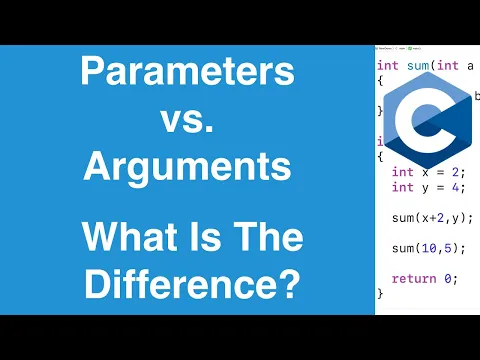
A function parameter (also called a formal parameter) is a variable listed in a function’s declaration or definition that receives a value when the function is called. The value passed during the call is known as an argument (or actual parameter).
Parameters allow functions to operate on different data each time they are invoked, making code reusable and modular. They define the interface between the caller and the function: the caller provides arguments, and the function uses its parameters to process them.
A parameter is the variable in the function signature; an argument is the concrete value passed by the caller.
Example – In def add(a, b): ... and add(3, 5), a and b are parameters, while 3 and 5 are arguments.
2. Basics: Syntax, Examples, and Explanation
2.1 In Python
In Python, parameters are declared inside the parentheses of a function definition. Python is dynamically typed, so parameter types are not specified explicitly (though type hints can optionally be used). Arguments are passed by object reference (often described as “pass by assignment”): the function receives a reference to the object; mutable objects can be modified inside the function, but reassigning the parameter does not affect the caller’s variable.
Syntax:
# function definition
def function_name(parameter1, parameter2, ...):
    # function body
Example:
# function definition
def add(a, b):
    # function body
    return a+b

c = add(3, 4)
print(c)     # output: 7
This function takes two numbers, a and b, and returns their sum.
Video Explanation

2.2 In C
C is a statically typed language. Every parameter must have an explicit type. Arguments are passed by value: the function receives a copy of the argument. Changes to the parameter inside the function do not affect the original argument. To modify the caller’s variable, a pointer to it must be passed.
Syntax:
// function definition
return_type function_name(datatype1 parameter1, datatype2 parameter2, ...){
    // function body
}
Example:
#include<stdio.h>

// function definition
int add(int a, int b){
    // function body
    return a+b;
}

int main(){
    int a = 3, b = 4, c;
    c =  add(a, b);
    printf("%d\n", c);

    return 0;   // output: 7
}
Video Explanation
2.3 In C++
C++ provides a rich parameter-passing system that gives you fine-grained control over performance and mutability. Parameters must have explicit types. C++ offers four main ways to pass arguments:
| Passing Style | Syntax Example | Use Case |
|---|---|---|
| Pass by Value | void f(int x) | For small, cheap-to-copy types (int, char, etc.). A copy is made; the original is safe. |
| Pass by Reference | void f(int &x) | When you need to modify the original argument. No copy is made—acts as an alias. |
| Pass by const Reference | void f(const int &x) | For large objects that you don't want to copy and don't need to modify. Efficient and safe. |
| Pass by pointer | void f(int *p) | Similar to references, but can be nullptr. Often used for optional parameters or C-compatibility. |
Syntax:
// function definition
return_type function_name(datatype1 parameter1, datatype2 parameter2, ...){
    // function body
}
Example:
#include<iostream>
using namespace std;

// function definition
int add(int a, int b){
    // function body
    return a+b;
}

int main(){
    int a = 3, b = 4, c;
    c =  add(a, b);
    cout << c << endl;

    return 0;   // output: 7
}
Example:
#include <iostream>
#include <string>
using namespace std;

// 1. PASS BY VALUE: Makes a copy. Original stays unchanged.
void tryToChange(int x) {
    x = 100;   // changes only the local copy
}

// 2. PASS BY REFERENCE: Works directly on the original. Can modify it.
void actuallyChange(int &x) {
    x = 100;   // changes the original variable
}

// 3. PASS BY CONST REFERENCE: Cannot modify. No copy — efficient for big data.
void printLength(const string &s) {
    cout << s.length() << endl;   // can read, but cannot change s
}

// 4. PASS BY POINTER: Similar to reference, but can also be nullptr.
void setToZero(int *p) {
    if (p != nullptr) {
        *p = 0;   // modify original through pointer
    }
}

int main() {
    // 1. Pass by Value
    int a = 5;
    tryToChange(a);
    cout << a << "\n";       // Output: 5  (unchanged)

    // 2. Pass by Reference
    int b = 5;
    actuallyChange(b);
    cout << b << "\n";       // Output: 100  (changed)

    // 3. Pass by const Reference
    string name = "abcxyz";
    printLength(name);       // Output: 5  (reads without copying)

    // 4. Pass by Pointer
    int c = 42;
    setToZero(&c);           // pass address of c
    cout << c << "\n";       // Output: 0  (changed to zero)

    return 0;
}
Video Explanation
3. Default Parameters
A default parameter allows a function parameter to have a pre‑defined value that is used when the caller does not supply an argument for that parameter. This makes functions more flexible and reduces the need for multiple overloaded definitions.
- Default parameters must always appear after (to the right of) any non-default parameters during function declaration.
- They are declared using the
=operator in the parameter list of a function
3.1 In Python
Example:
def addition(a, b, c = 10, d = 20):
    print(a+b+c+d)


addition(1, 2, 3, 4)  # output: 10
addition(1, 2, 3)     # output: 26
addition(1, 2)        # output: 33
addition(1)           # output: Error
3.2 In C
Default parameters are not directly supported in C. However, similar behavior can be achieved using function overloading alternatives such as conditional statements or wrapper functions.
3.3 In C++
Example:
#include <iostream>
#include <string>
using namespace std;

void addition(int a, int b, int c = 10, int d = 20){
    cout<<a+b+c+d<<endl;
}

int main() {

    addition(1, 2, 3, 4);  // output: 10
    addition(1, 2, 3);     // output: 26
    addition(1, 2);        // output: 33
    addition(1);           // output: Error

    return 0;
}
Done with this topic? Mark it as complete to track your progress.
Was this page helpful?
Discuss this page
Have a question or spot something confusing in "Function Parameters"? Ask below. Backed by GitHub Discussions—maintainers receive system notifications directly.