Channels in Go
Channels in Go
Hey there! In this guide, we'll explore Channels in Go. Channels are the pipes that connect concurrent goroutines. You can send values into channels from one goroutine and receive those values into another goroutine. Let's dive in!
Video Explanation
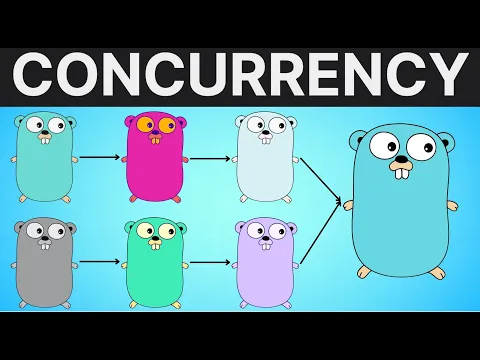
1. What is a Channel?
A channel is a typed conduit through which you can send and receive values with the channel operator, <-.
"Do not communicate by sharing memory; instead, share memory by communicating." - This is a famous Go proverb, and channels are how you achieve it!
2. Creating a Channel
Like maps and slices, channels must be created before use with the make keyword.
// Creates a channel that can transmit integers
ch := make(chan int)
3. Sending and Receiving
The data flows in the direction of the arrow.
ch <- 42 // Send the value 42 into the channel 'ch'

v := <-ch // Receive a value from 'ch' and assign it to 'v'
Example: Ping Pong
Here is a simple example of passing a message between the main function and a goroutine.
package main

import "fmt"

func ping(ch chan string) {
    ch <- "Pong!" // Send message to channel
}

func main() {
    messageChannel := make(chan string)

    go ping(messageChannel) // Start goroutine

    msg := <-messageChannel // Wait for a message
    fmt.Println(msg)        // Output: Pong!
}
Note: By default, sends and receives block until the other side is ready. This allows goroutines to synchronize without explicit locks or condition variables!
4. Buffered Channels
Channels can be buffered. This means they have a capacity to hold a certain number of values before they block the sender.
You provide the buffer length as the second argument to make.
ch := make(chan int, 2) // A channel that can hold up to 2 ints

ch <- 1 // Does not block
ch <- 2 // Does not block
// ch <- 3 // Would block here because the buffer is full!

fmt.Println(<-ch) // 1
fmt.Println(<-ch) // 2
5. Closing Channels
A sender can close a channel to indicate that no more values will be sent.
func fibonacci(n int, c chan int) {
    x, y := 0, 1
    for i := 0; i < n; i++ {
        c <- x
        x, y = y, x+y
    }
    close(c) // Signal that we are done sending
}

func main() {
    c := make(chan int, 10)
    go fibonacci(10, c)

    // We can use a `range` loop to automatically read from a channel until it's closed!
    for i := range c {
        fmt.Println(i)
    }
}
Note: Only the sender should close a channel, never the receiver. Sending on a closed channel will cause a panic.
6. The Select Statement
The select statement lets a goroutine wait on multiple channel operations. It's like a switch statement, but for channels. It blocks until one of its cases can run.
func main() {
    c1 := make(chan string)
    c2 := make(chan string)

    go func() { c1 <- "one" }()
    go func() { c2 <- "two" }()

    // Listen to both channels simultaneously
    select {
    case msg1 := <-c1:
        fmt.Println("Received from c1:", msg1)
    case msg2 := <-c2:
        fmt.Println("Received from c2:", msg2)
    }
}
7. Best Practices
- Avoid buffered channels unless necessary: Unbuffered channels guarantee synchronization, which makes reasoning about concurrency much easier.
- Use
rangeover channels: It is the cleanest way to continuously process incoming data until the worker signals it's done (by closing the channel).
Done with this topic? Mark it as complete to track your progress.
Was this page helpful?
Discuss this page
Have a question or spot something confusing in "Channels in Go"? Ask below. Backed by GitHub Discussions—maintainers receive system notifications directly.